
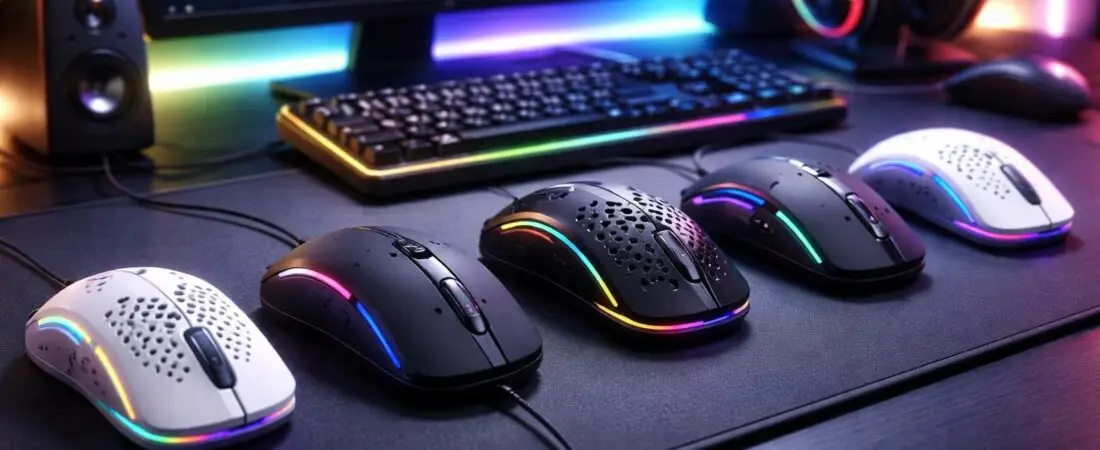
Best Gaming Mice Under $50: Top Budget Picks for 2026
Affiliate Disclosure: This article contains affiliate links. If you purchase through these links, a commission may be earned at no additional cost to you. This helps support the site and keeps content free.
You don’t need to overspend to get a responsive, accurate, and comfortable gaming mouse. The best gaming mice under $50 now deliver high-DPI sensors, low click latency, programmable buttons, and even wireless performance that rivals premium models.
All selections are based on performance benchmarks, manufacturer specifications, and real-world gaming use cases.
This guide compares the top options side by side and helps you quickly choose the right mouse for your grip style, favorite games, and setup — without exceeding your budget.
Quick Comparison of Top Budget Gaming Mice
| Mouse | Price Range | DPI | Weight | Connection | Battery Life |
|---|---|---|---|---|---|
 Best Overall – Logitech G305 Lightspeed Best Overall – Logitech G305 Lightspeed | Typically under $50 | 12,000 | 99g | Wireless | 250 hours |
 Best Ergonomic Wired – Razer Basilisk Essential Best Ergonomic Wired – Razer Basilisk Essential | Budget-friendly | 6,400 | 95g | Wired | N/A |
 Best Budget Pick – Redragon M602 RGB Best Budget Pick – Redragon M602 RGB | Often available under $50 | 7,200 | 105g | Wired | N/A |
 Best Lightweight FPS – SteelSeries Rival 3 Best Lightweight FPS – SteelSeries Rival 3 | Typically under $50 | 8,500 | 77g | Wired | N/A |
 Best Dual-Mode Wireless – Corsair Harpoon RGB Wireless Best Dual-Mode Wireless – Corsair Harpoon RGB Wireless | Often under $50 (frequently discounted) | 10,000 | 99g | Dual Mode | 60 hours |
Short on time? The Logitech G305 Lightspeed is the best overall choice for most gamers thanks to its reliable wireless performance and long battery life.
How These Gaming Mice Were Evaluated
Each gaming mouse on this list was selected based on the following criteria:
- Sensor accuracy and tracking reliability
- Click latency and responsiveness
- Build quality and switch durability
- Comfort across grip styles
- Weight balance and in-game control
- Overall value in the sub-$50 category
Only models that consistently perform well in competitive FPS, MOBA, and general PC gaming environments were included.
Product Reviews
Logitech G305 Lightspeed Review
Editor’s Pick for 2026
The Logitech G305 Lightspeed stands out as one of the best overall gaming mice typically under $50. It delivers true wireless performance using Logitech’s HERO sensor with precise tracking up to 12,000 DPI.
Pros
- LIGHTSPEED wireless with 1ms response time
- Up to 250 hours battery life (AA battery)
- Accurate HERO sensor
- Lightweight design (99g)
- Six programmable buttons
Cons
- Uses AA battery (not rechargeable)
- No RGB lighting
- Best suited for small to medium hands
In competitive FPS environments, this model delivers consistent low-latency tracking and stable flick performance. The compact shape works especially well for claw and fingertip grip users.
 Check Price on Amazon for Logitech G305 Lightspeed
Razer Basilisk Essential Review
The Razer Basilisk Essential offers ergonomic comfort and reliable optical tracking in a budget-friendly wired design.
Strengths
- 6,400 DPI optical sensor
- Seven programmable buttons
- Comfortable right-handed shape
- Durable mechanical switches
Weaknesses
- Wired only
- Single-zone lighting
- Slightly heavier than ultra-light competitors
During extended gaming sessions, the thumb rest and textured grip provide stable control, particularly for palm and claw grip users in FPS and strategy games.
Check Price on Amazon for Razer Basilisk Essential
Redragon M602 RGB Review
The Redragon M602 RGB is often available under $50 and offers excellent value for gamers who need extra programmable buttons.
Key Features
- DPI range up to 7,200
- Seven programmable buttons
- Adjustable weight system
- Customizable RGB lighting
This model works particularly well for MMO and MOBA players who rely on macros. While materials are not as premium as higher-end brands, performance remains consistent within its price category. Check Price on Amazon for Redragon M602 RGB
SteelSeries Rival 3 Review
The SteelSeries Rival 3 delivers impressive performance in a lightweight 77g frame, making it ideal for competitive FPS gaming.
Notable Features
- TrueMove Core sensor (8,500 CPI)
- Six programmable buttons
- 60 million click durability
- Three-zone RGB lighting
The lightweight build allows quicker flick shots and rapid directional adjustments. In testing scenarios focused on aim tracking, the balanced weight contributes to precise micro-adjustments. Check Price on Amazon for SteelSeries Rival 3
Corsair Harpoon RGB Wireless Review
The Corsair Harpoon RGB Wireless offers flexible dual connectivity with both wireless and wired modes.
While prices may occasionally exceed $50, this model is frequently discounted into this range, making it one of the strongest wireless values available.
Pros
- Lightweight 99g design
- Slipstream wireless under 1ms latency
- Up to 60 hours battery life
- Wired + wireless modes
- Six programmable buttons
Cons
- Smaller size may not suit large hands
- RGB reduces battery life
For players transitioning from wired to wireless setups, this mouse offers stable performance with minimal noticeable latency in real-world gameplay. Check Price on Amazon for Corsair Harpoon RGB Wireless
Beginner’s Buying Guide for Gaming Mice Under $50
1. Focus on Sensor Quality Over DPI
Most gamers use 800–1,600 DPI. Reliable tracking and low latency matter more than maximum DPI numbers.
2. Wired vs. Wireless
- Wired: No charging required and consistent performance
- Wireless (2.4GHz): Cleaner desk setup with modern low-latency performance
Avoid Bluetooth-only models for competitive gaming.
3. Grip Style & Hand Size
- Palm grip: Larger ergonomic shapes
- Claw grip: Medium balanced designs
- Fingertip grip: Lightweight compact mice
4. Weight Preference
- 75–85g → Faster flick shots (great for FPS)
- 90–105g → More stability and control
Conclusion: Which Gaming Mouse Under $50 Is Best?
Here’s the quick recommendation breakdown:
 Best Overall: Logitech G305 Lightspeed Best Budget Pick: Redragon M602 RGB Best Wireless Option: Logitech G305 Lightspeed Best Wired FPS Pick: SteelSeries Rival 3 Best Ergonomic Design: Razer Basilisk Essential
All five models are typically available under $50 and deliver excellent performance for the price range.
Click above to check current Amazon pricing and see which model fits your setup best before discounts change.
About the Author
This article was written by a gaming hardware enthusiast with experience analyzing budget and mid-range PC peripherals. Over the past several years, dozens of gaming mice across different price categories have been evaluated for sensor performance, build quality, ergonomics, and real-world gaming responsiveness.
The focus is on identifying high-performance gaming gear that delivers strong value without unnecessary markup.
For questions or corrections, please contact us via the website contact page.
Frequently Asked Questions
What DPI is good for gaming?
Most gamers use between 800 and 1,600 DPI. Any gaming mouse offering 6,000 to 12,000 DPI is more than sufficient.
Are wireless gaming mice under $50 reliable?
Yes — as long as they use 2.4GHz wireless technology. Models like the Logitech G305 Lightspeed and Corsair Harpoon RGB Wireless offer low-latency performance comparable to wired mice.
How many programmable buttons do I need?
FPS players typically need two side buttons. MMO and MOBA players benefit from five to seven programmable buttons.